Create a Gateway Endpoint
- Open the Amazon VPC console
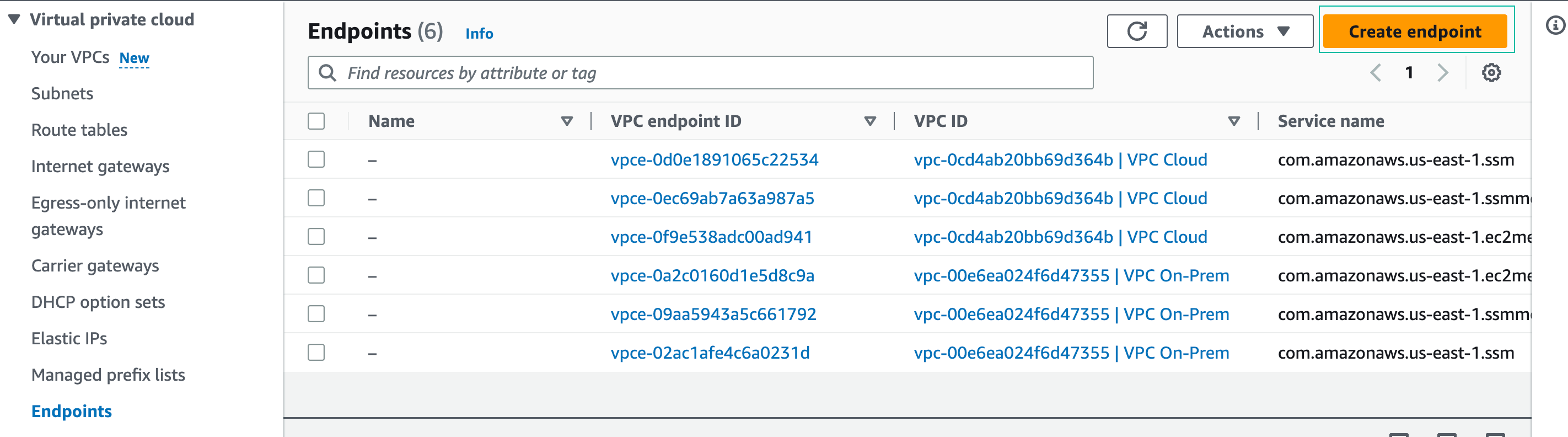
- In the navigation pane, choose Endpoints, click Create Endpoint:
You will see 6 existing VPC endpoints that support AWS Systems Manager (SSM). These endpoints were deployed automatically by the CloudFormation Template for this workshop.
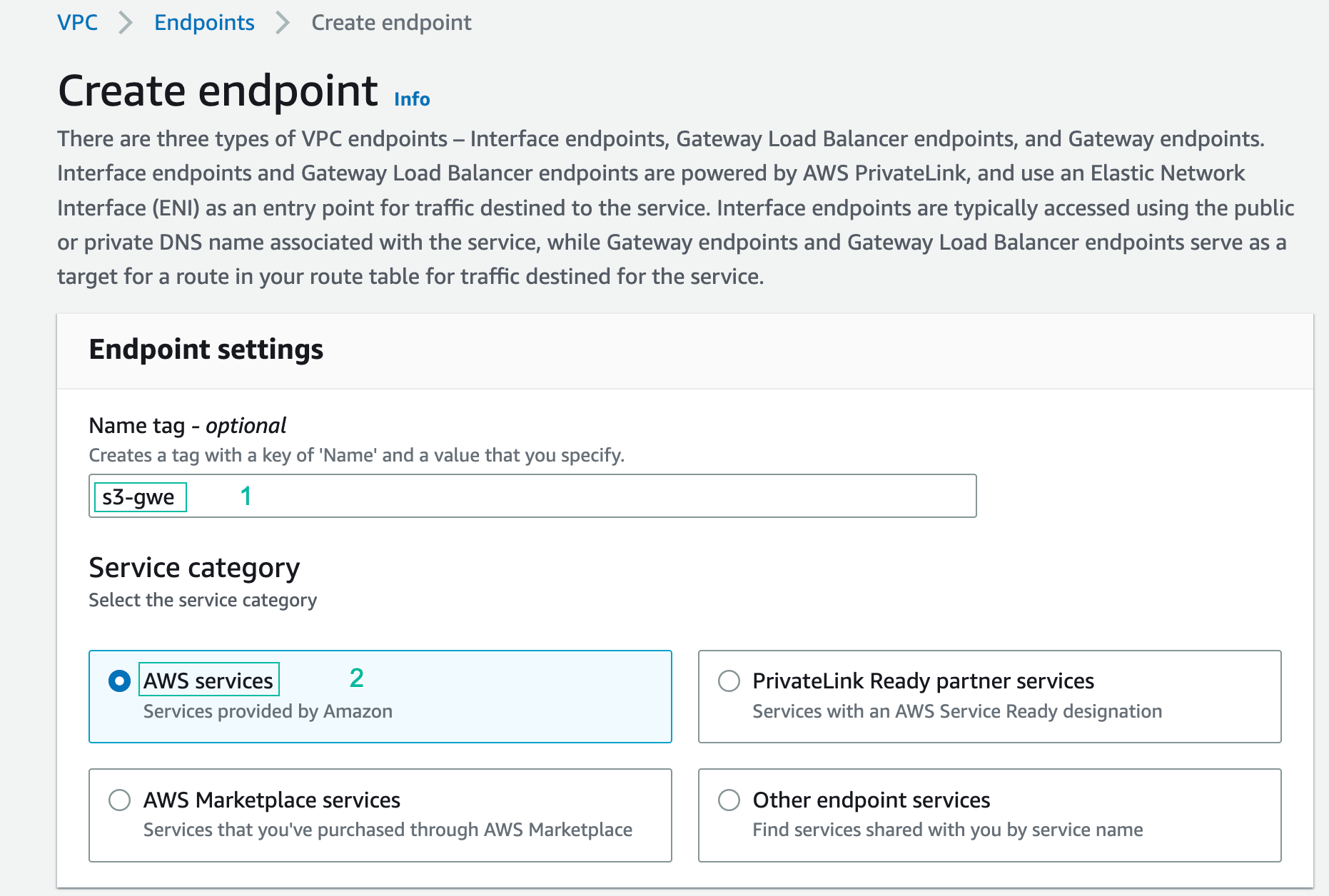
- In the Create endpoint console:
- Name the endpoint: s3-gwe
- In service category, choose aws services
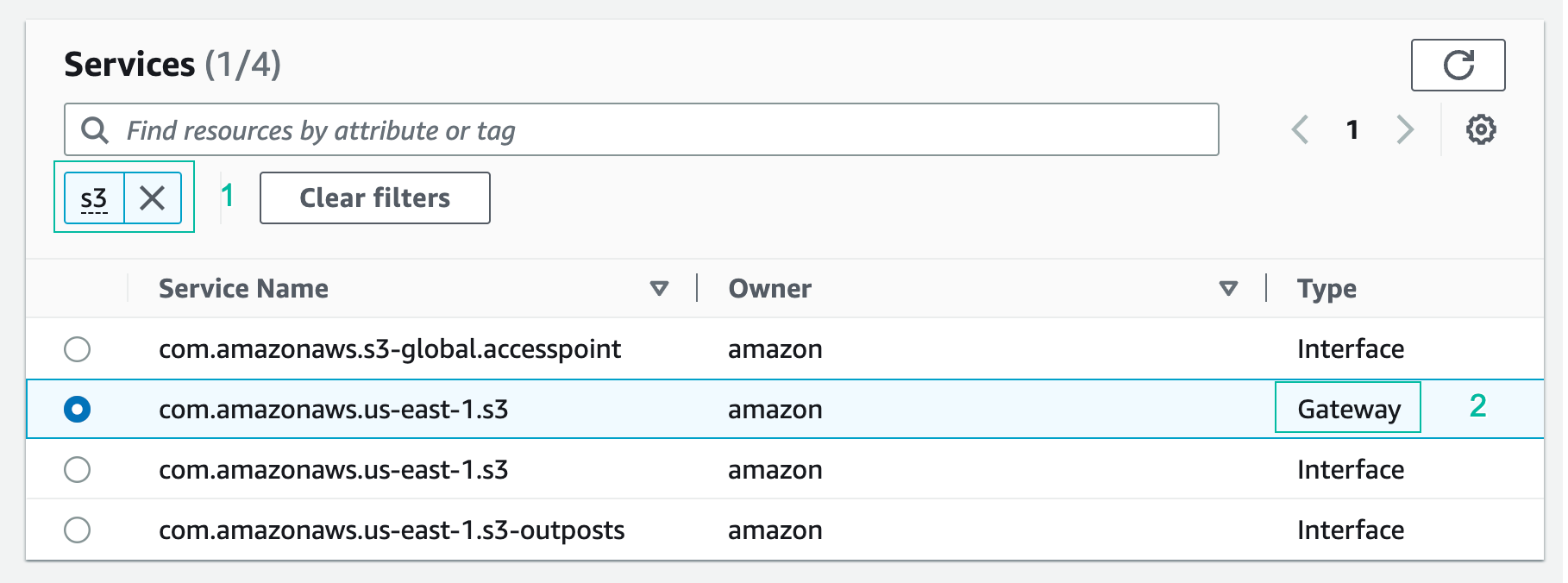
- In Services, type “s3” in the search box and choose the service with gateway type
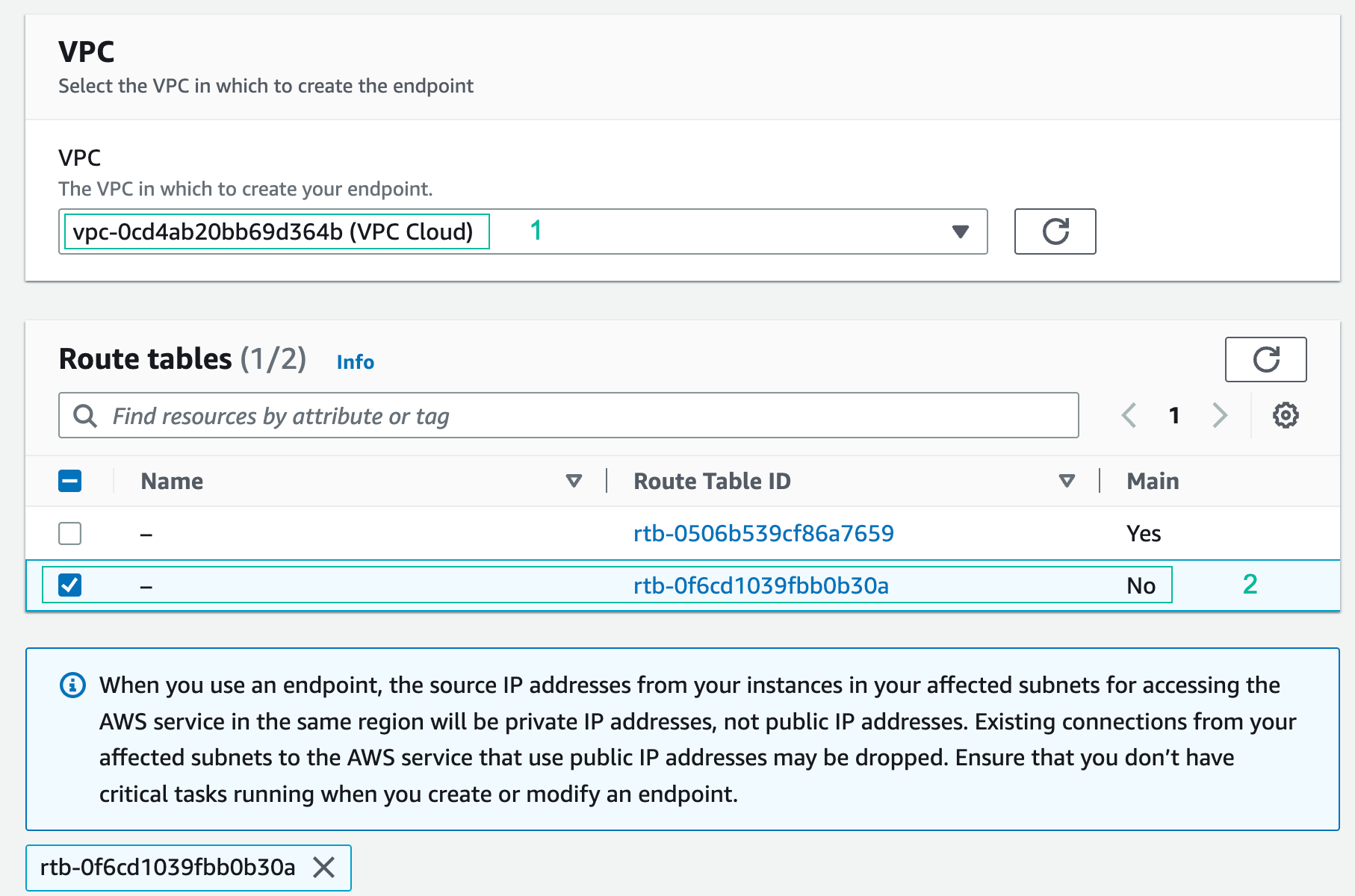
- For VPC, choose VPC Cloud from the drop-down menu.
- For Route tables, choose the route table that is associated with 2 subnets (note: this is not the main route table for the VPC but a second route table created by CloudFormation).
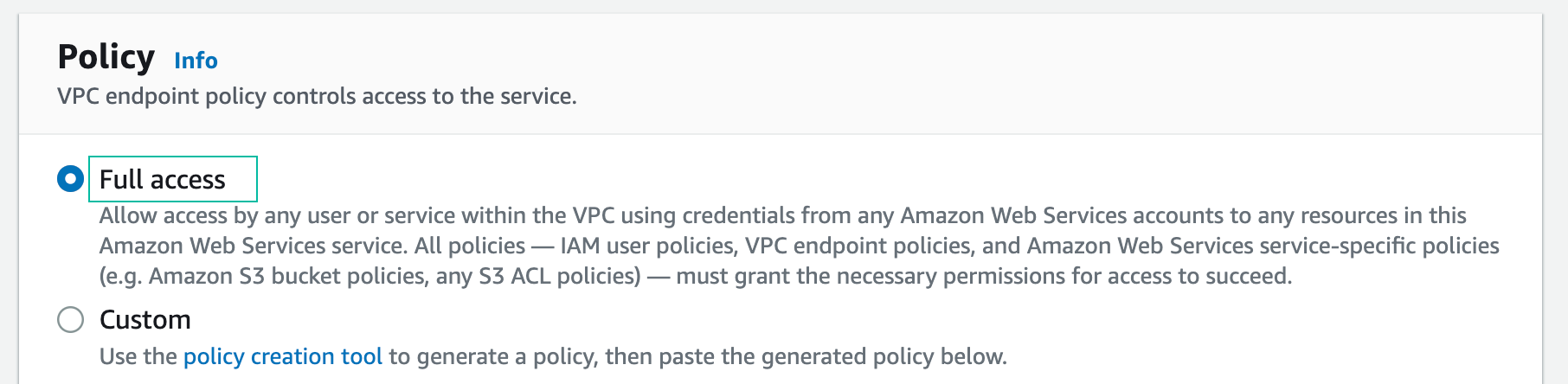
- For Policy, leave the default option as Full access to allow full access to the service. You will deploy a VPC endpoint policy in a later section to demonstrate restricting access to S3 buckets based on policies.
- Do not add a tag to the VPC endpoint.
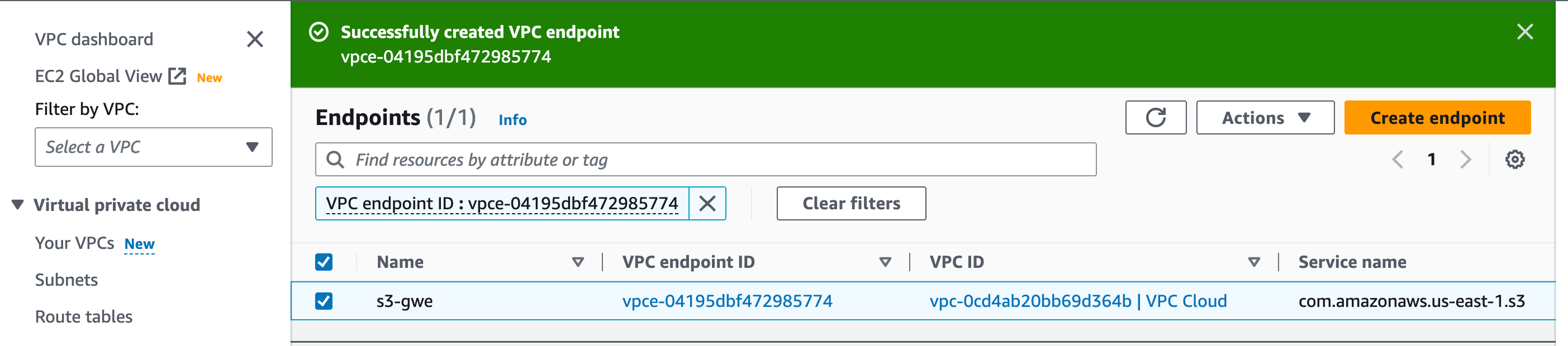
- Click Create endpoint, click x after receiving a successful creation message.