Prepare the environment
To prepare for this part of the workshop you will need to:
- Deploying a CloudFormation stack
- Modifying a VPC route table.
These components work together to simulate on-premises DNS forwarding and name resolution.
Deploy the CloudFormation stack
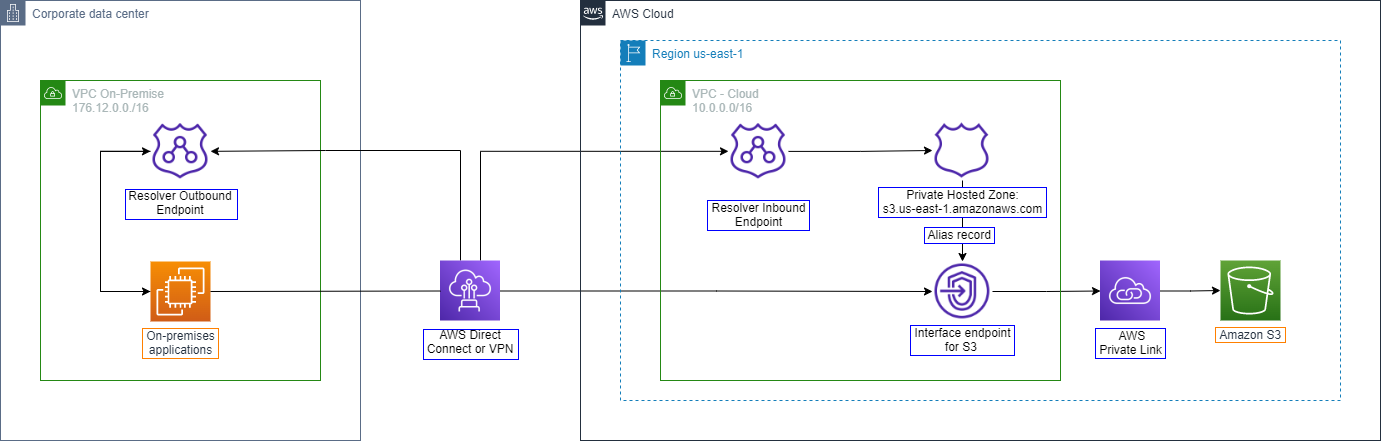
The CloudFormation template will create additional services to support an on-premises simulation:
- One Route 53 Private Hosted Zone that hosts Alias records for the PrivateLink S3 endpoint
- One Route 53 Inbound Resolver endpoint that enables “VPC Cloud” to resolve inbound DNS resolution requests to the Private Hosted Zone
- One Route 53 Outbound Resolver endpoint that enables “VPC On-prem” to forward DNS requests for S3 to “VPC Cloud”
- Click the following link to open the AWS CloudFormation console. The required template will be pre-loaded into the menu. Accept all default and click Create stack.
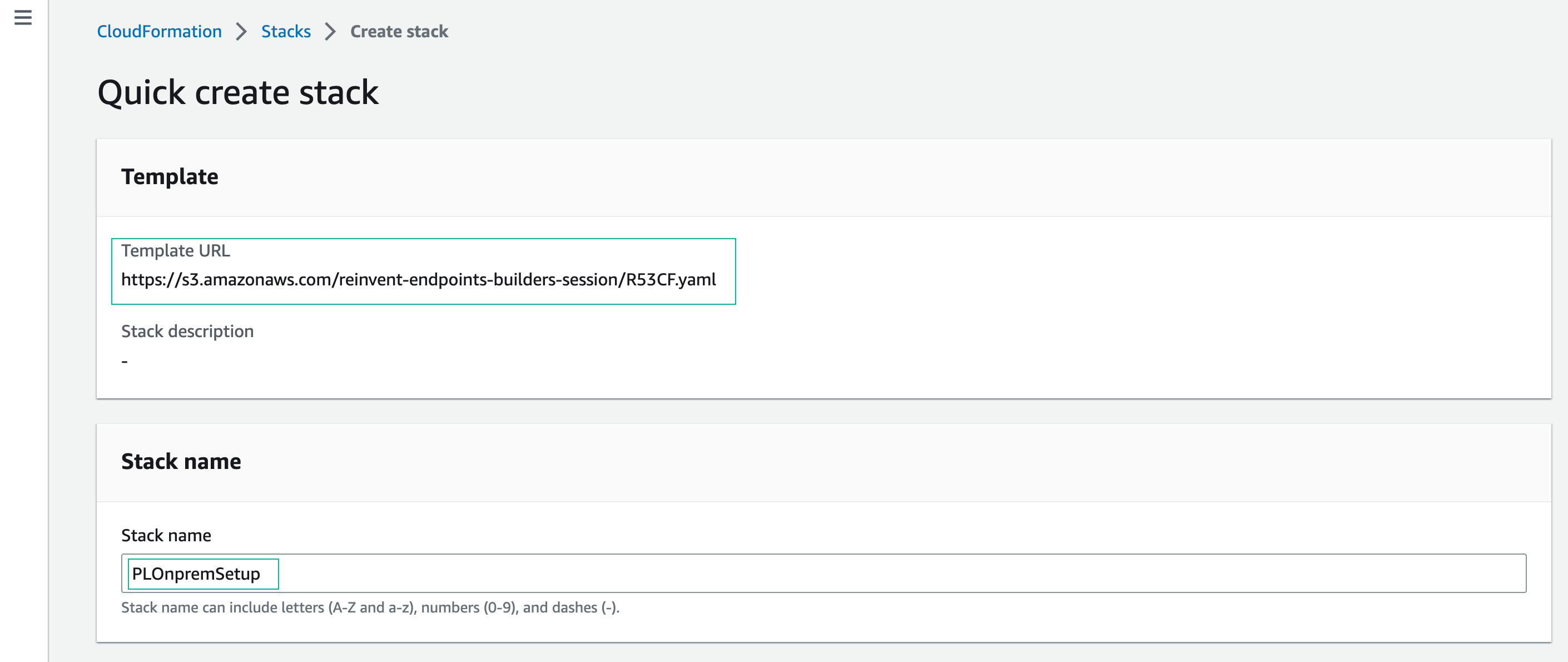
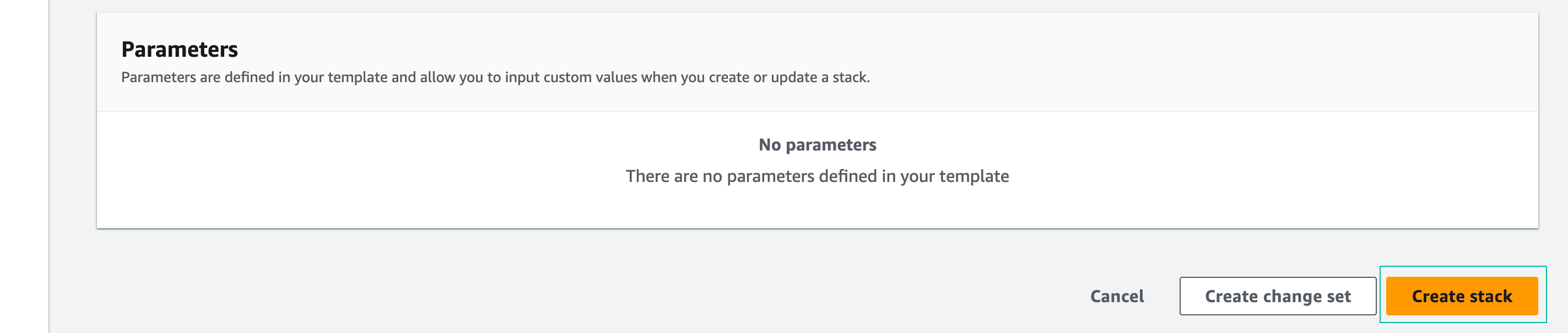
It may take a few minutes for stack deployment to complete. You can continue with the next step without waiting for the deployemnt to finish.
Update on-premise private route table
This workshop uses StrongSwan VPN running on an EC2 instance to simulate connectivity between a traditional data center and the AWS cloud environment. Most of the required components are provisioned before you start. To complete the VPN configuration, you will modify the “VPC on-prem” route table to direct traffic to the cloud to pass through the StrongSwan VPN instance.
Open the Amazon EC2 console
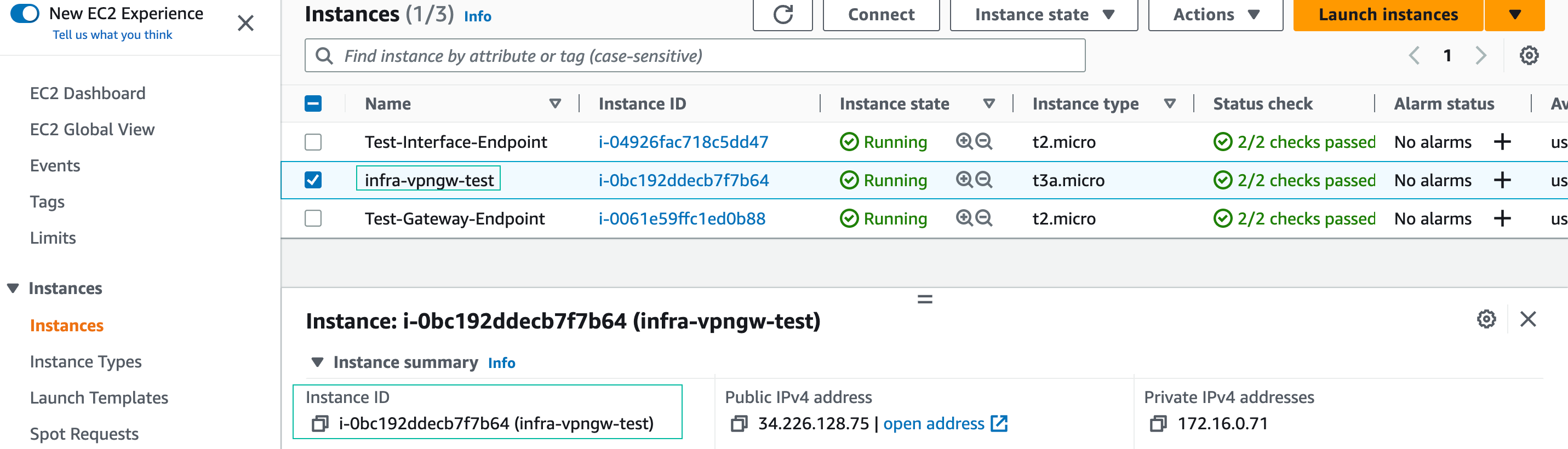
Select the instance named infra-vpngw-test. From the Details tab, copy the Instance ID and paste it into your text editor to use in the following steps
Navigate to the VPC menu by typing “VPC” into the Search box
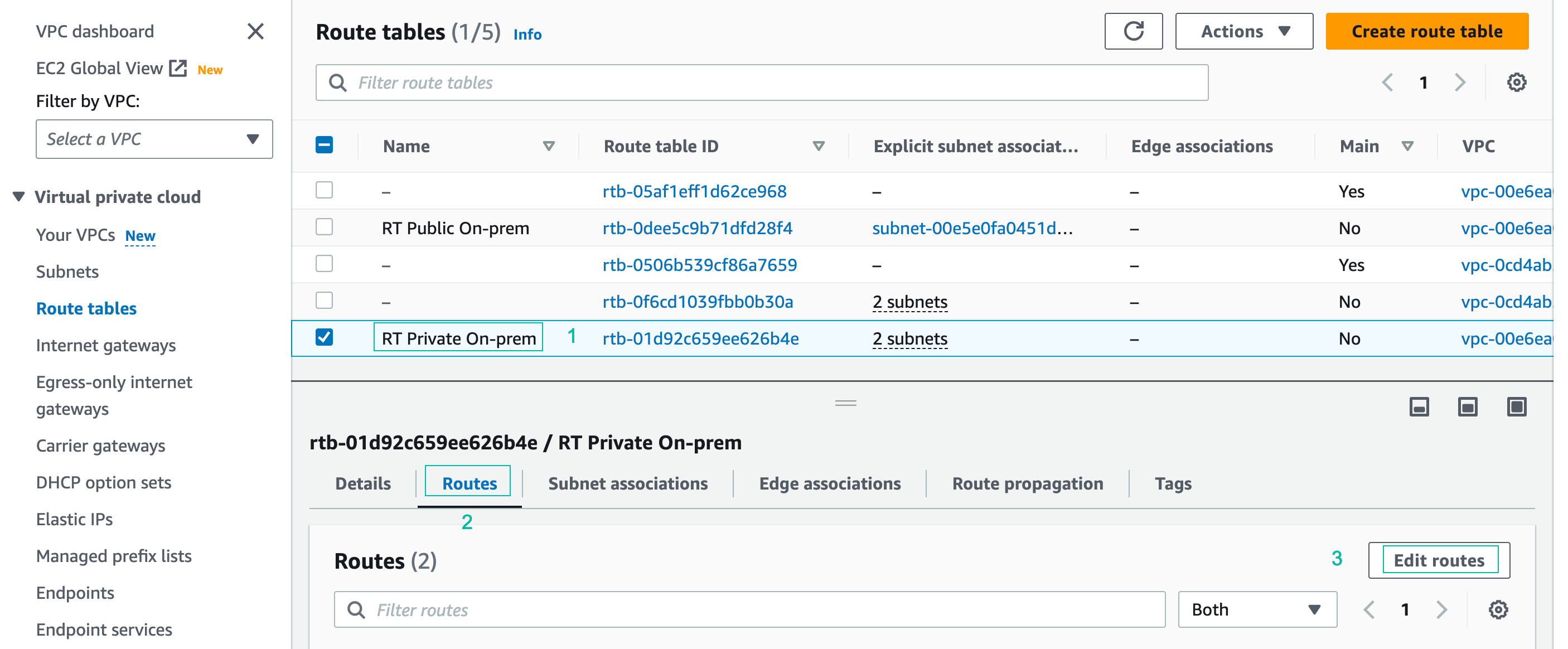
Click on Route Tables, select the RT Private On-prem route table, select the Routes tab, and click Edit Routes.
- Click Add route.
- Destination: CIDR block of Cloud VPC
- Target: ID of the infra-vpngw-test instance (you saved in the previous step)
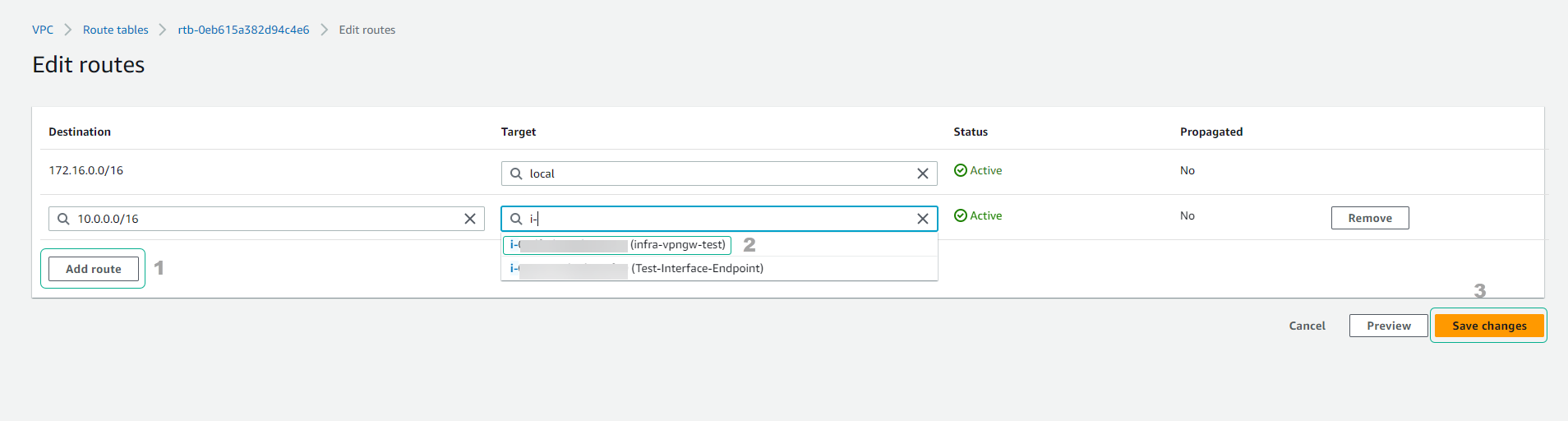
- Click Save changes