Create an S3 Interface endpoint
In this section, you will create and test an S3 Interface Endpoint using the simulated traditional environment.
Return to the Amazon VPC menu. In the left navigation pane, choose Endpoints, then click Create Endpoint.
In Create endpoint console:
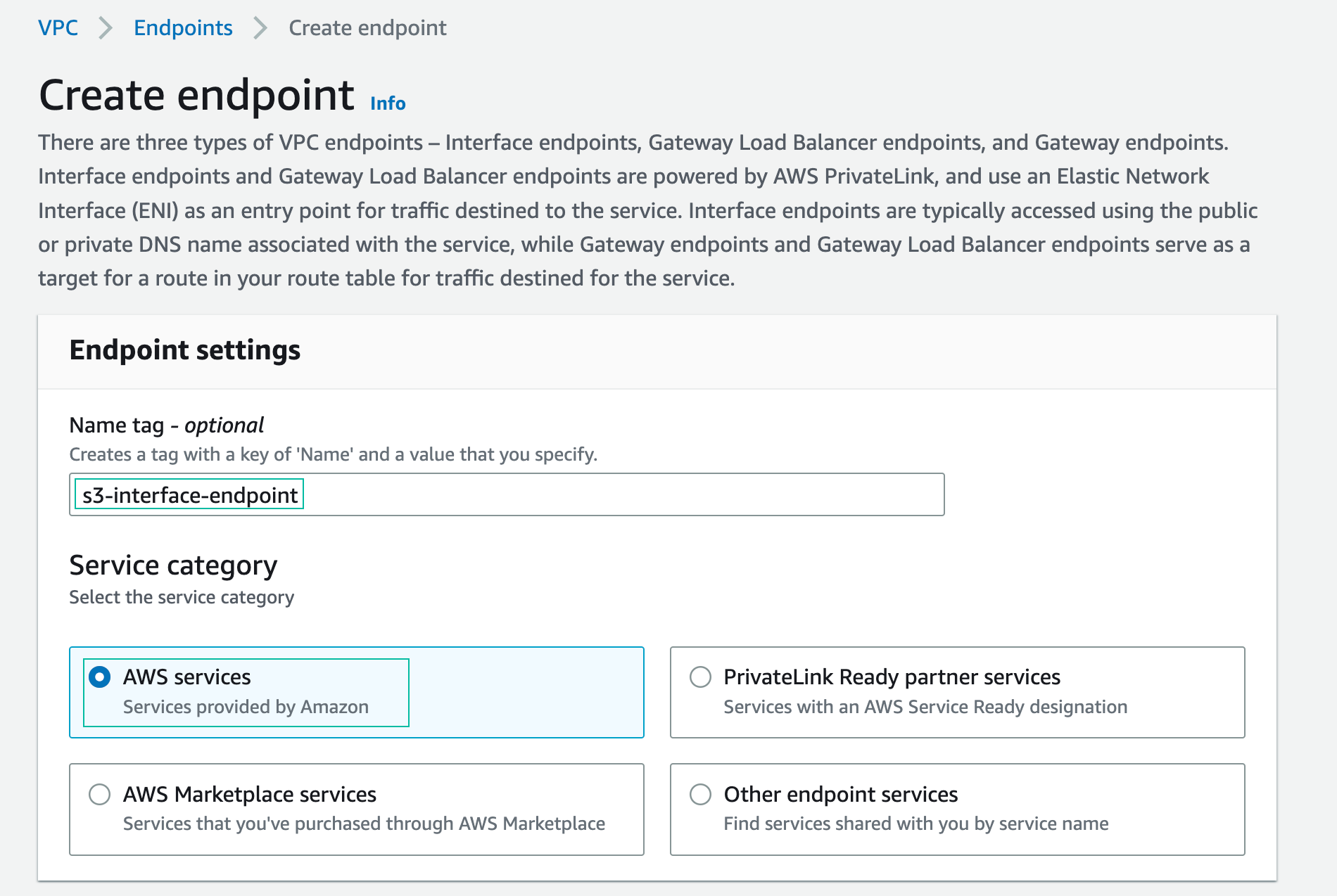
- Name the interface endpoint
- In Service category, choose aws services
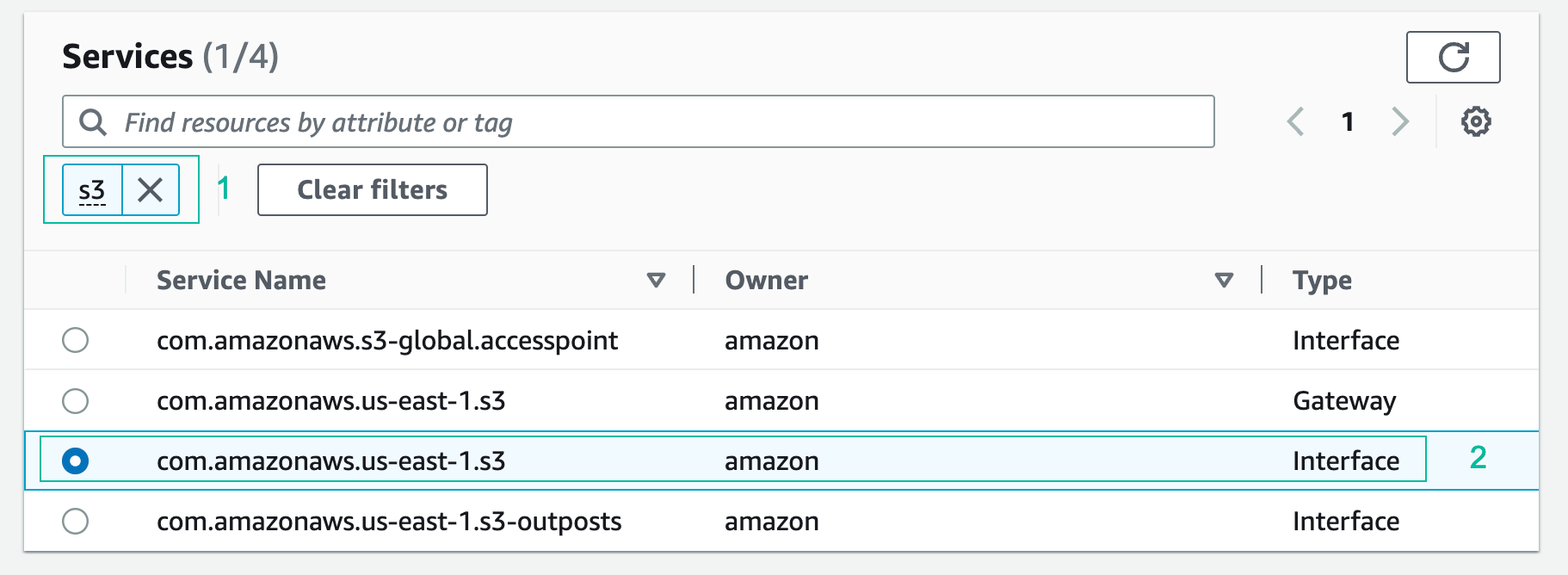
- In the Search box, type S3 and press Enter. Select the endpoint named com.amazonaws.us-east-1.s3. Ensure that the Type column indicates Interface.
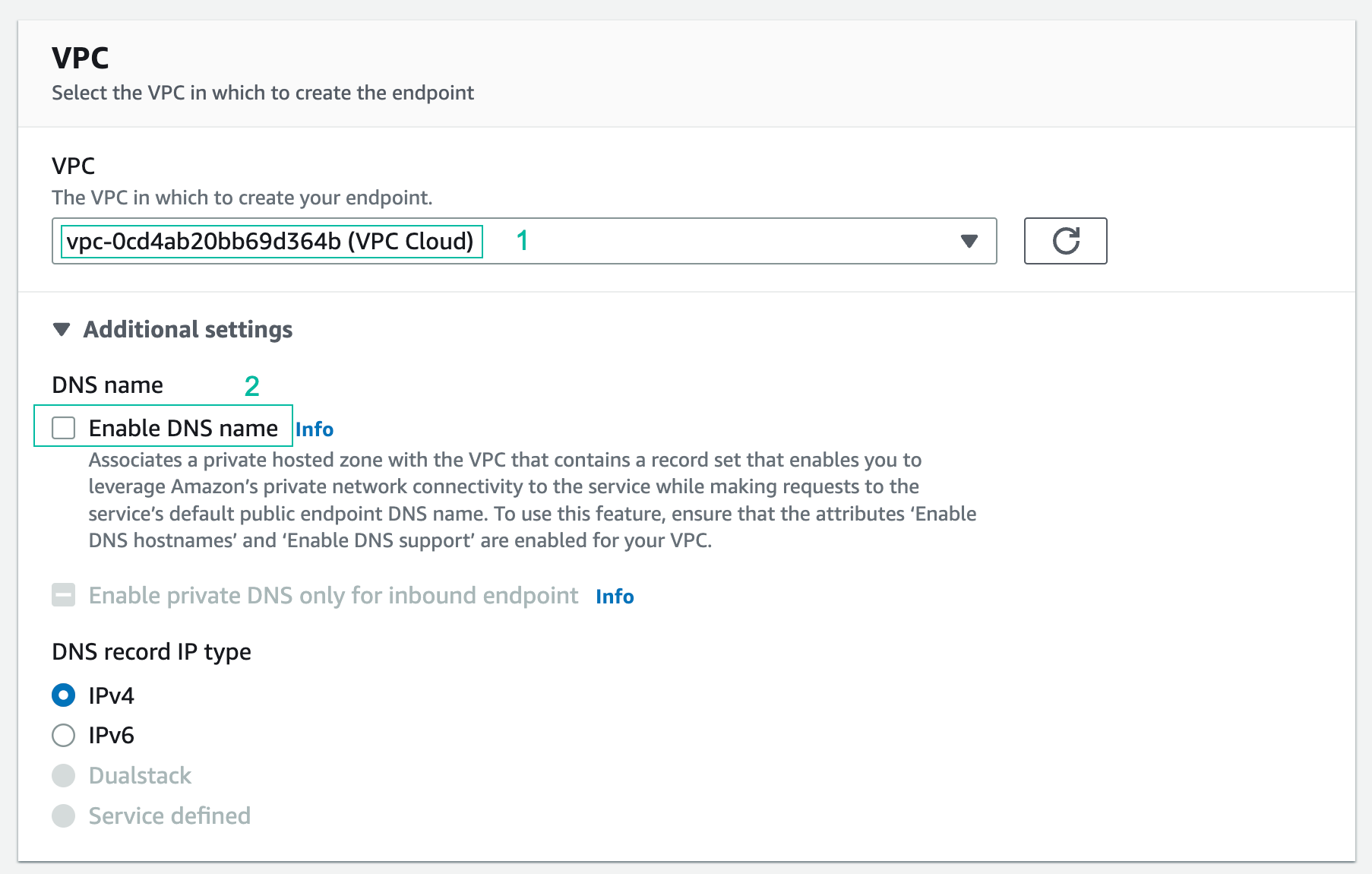
- For VPC, select VPC Cloud from the drop-down.
Make sure to choose “VPC Cloud” and not “VPC On-prem”
- Expand Additional settings and ensure that Enable DNS name is not selected (we will use this in the next part of the workshop)
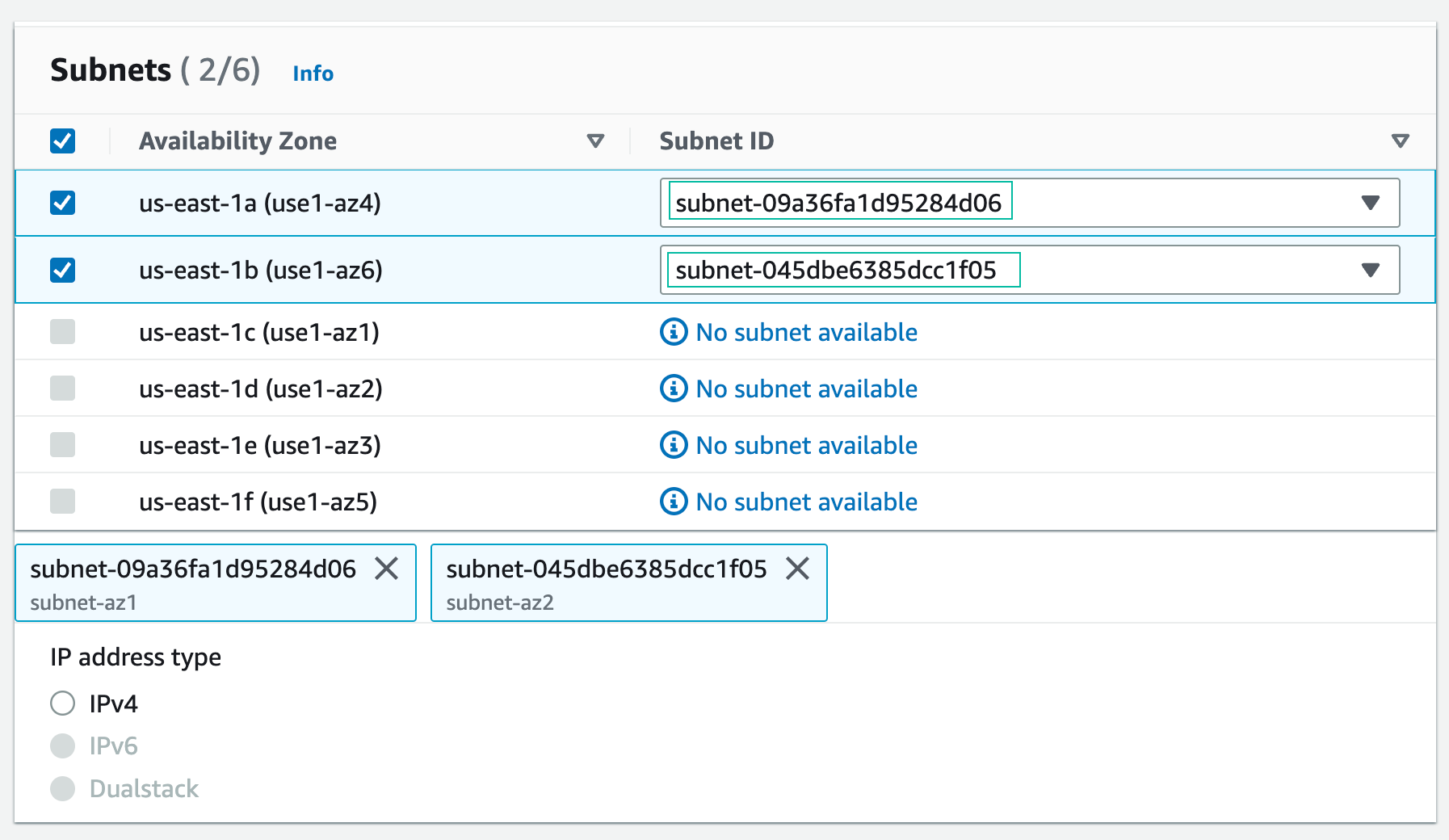
- Select 2 subnets in the following AZs: us-east-1a and us-east-1b
- For Security group, choose SGforS3Endpoint:
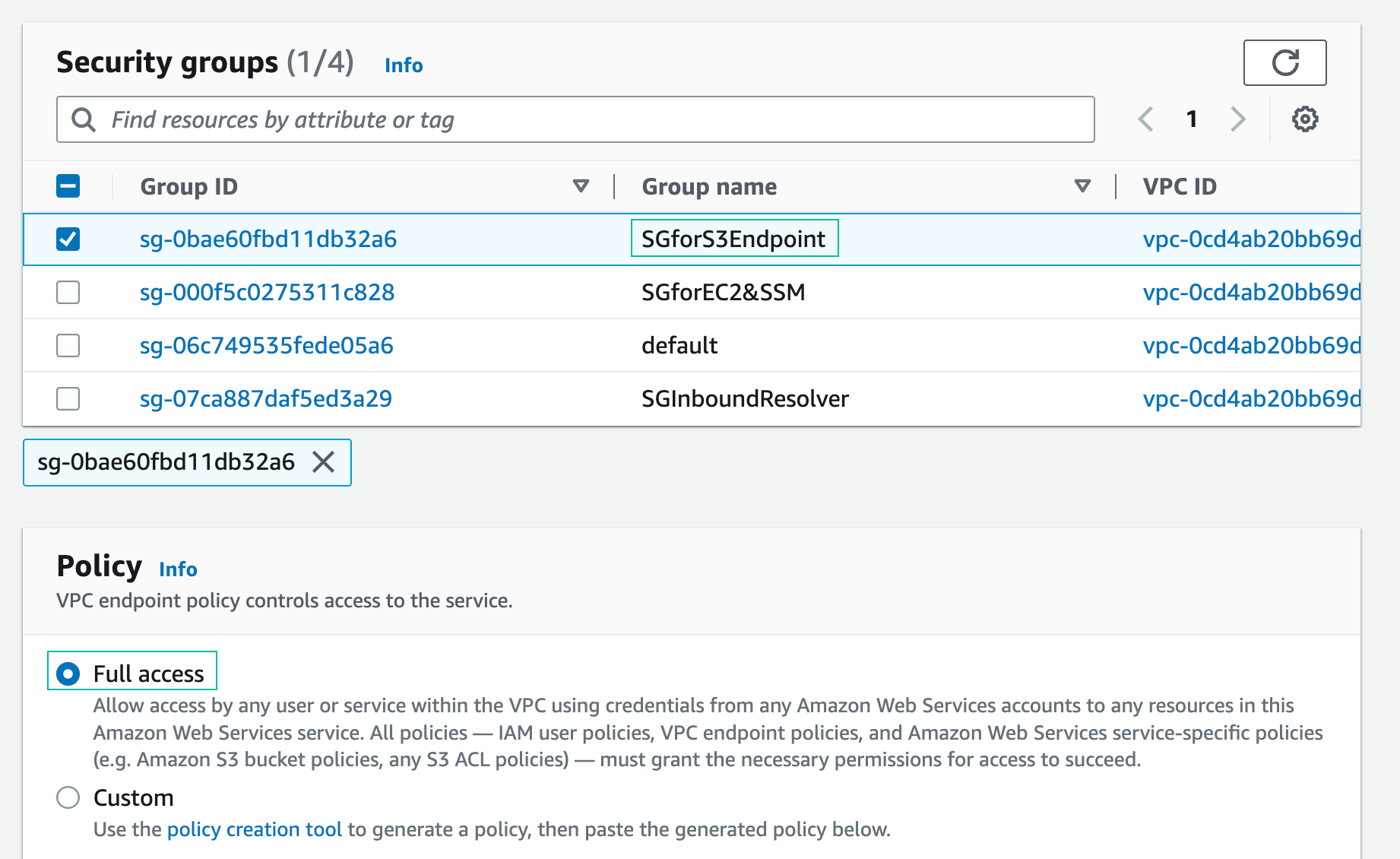
- Keep the default policy - full access and click Create endpoint
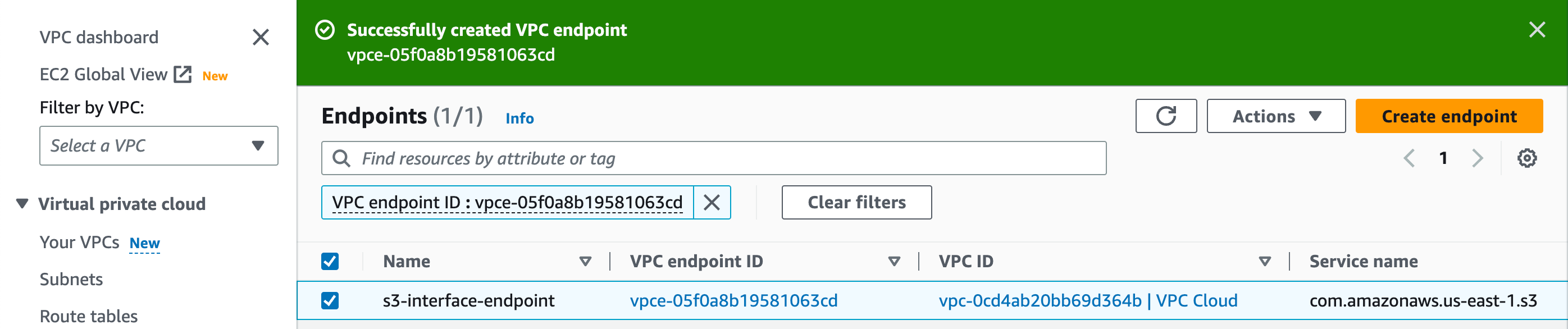
Congratulation on successfully creating S3 interface endpoint. In the next step, we will test the interface endpoint.