Test the Interface Endpoint
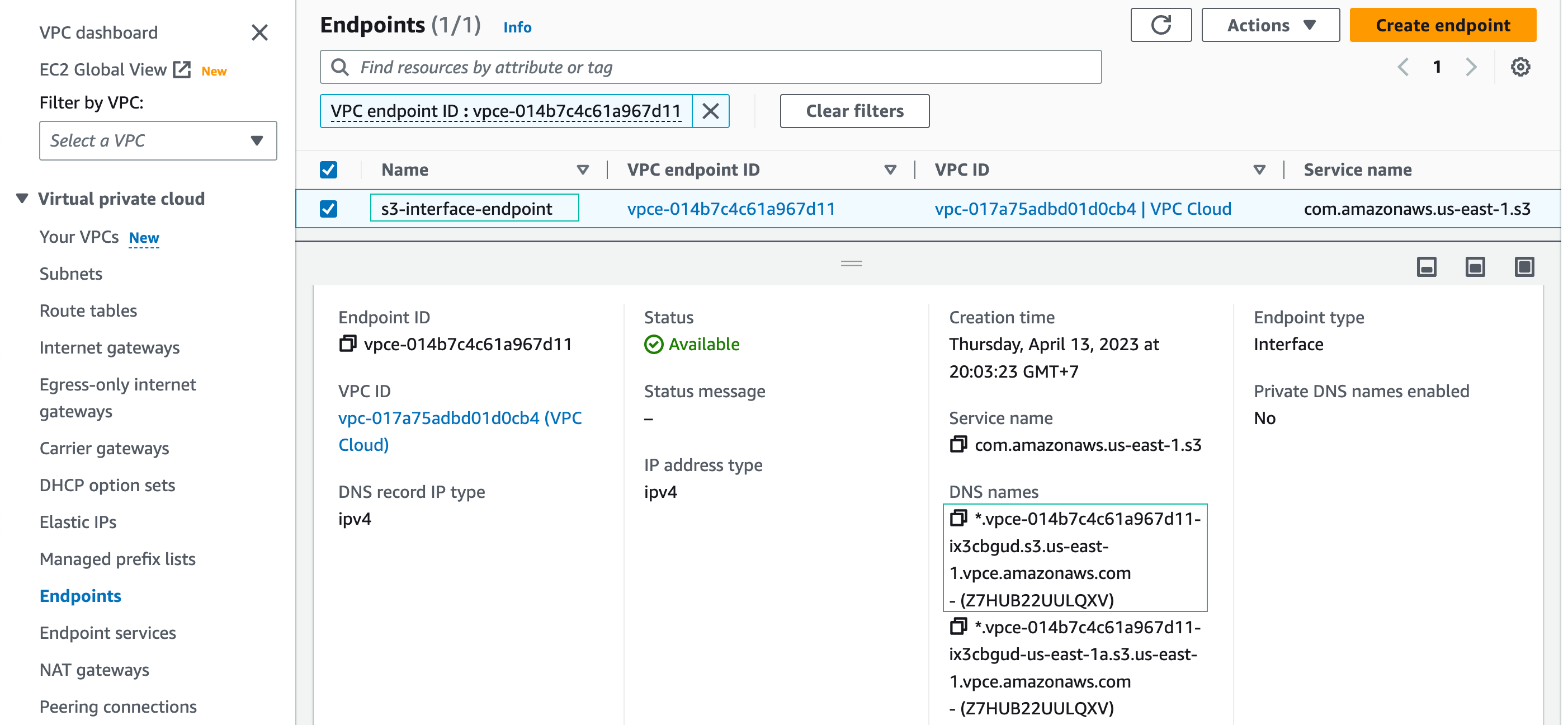
Get the regional DNS name of S3 interface endpoint
From the Amazon VPC menu, choose Endpoints.
Click the name of newly created endpoint: s3-interface-endpoint. Click details and save the regional DNS name of the endpoint (the first one) to your text-editor for later use.
Connect to EC2 instance in “VPC On-prem”
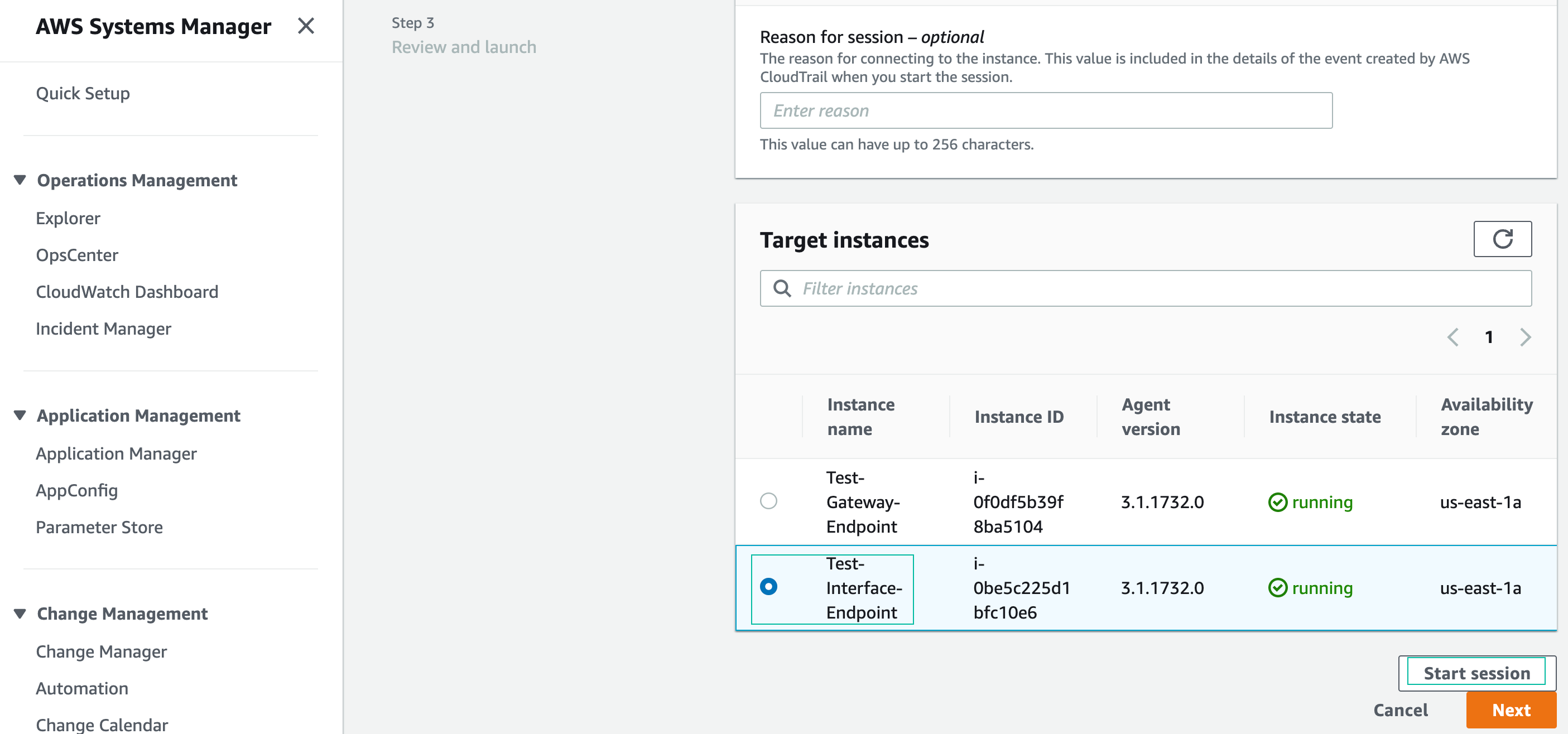
Navigate to Session manager by typing “session manager” in the search box
Click Start Session, and select the EC2 instance named Test-Interface-Endpoint. This EC2 instance is running in “VPC On-prem” and will be used to test connectivty to Amazon S3 through the Interface endpoint we just created. Session Manager will open a new browser tab with a shell prompt: sh-4.2 $
Change to the ssm-user’s home directory with the command “cd ~”
Create a file named testfile2.xyz
fallocate -l 1G testfile2.xyz

- Copy the file into the S3 bucket you created in section 4.2
aws s3 cp --endpoint-url https://bucket.<Regional-DNS-Name> testfile2.xyz s3://<your-bucket-name>
- This command requires the –endpoint-url parameter, because you need to use the specified DNS name for the endpoint to access S3 through the Interface endpoint.
- Do not include the ’ * ’ when copying/pasting the regional DNS name.
- Provide your S3 bucket name

Now the file has been added to your S3 bucket. Let’s check your S3 bucket in the next step.
Check Object in S3 bucket
- Go to S3 console
- Click Buckets
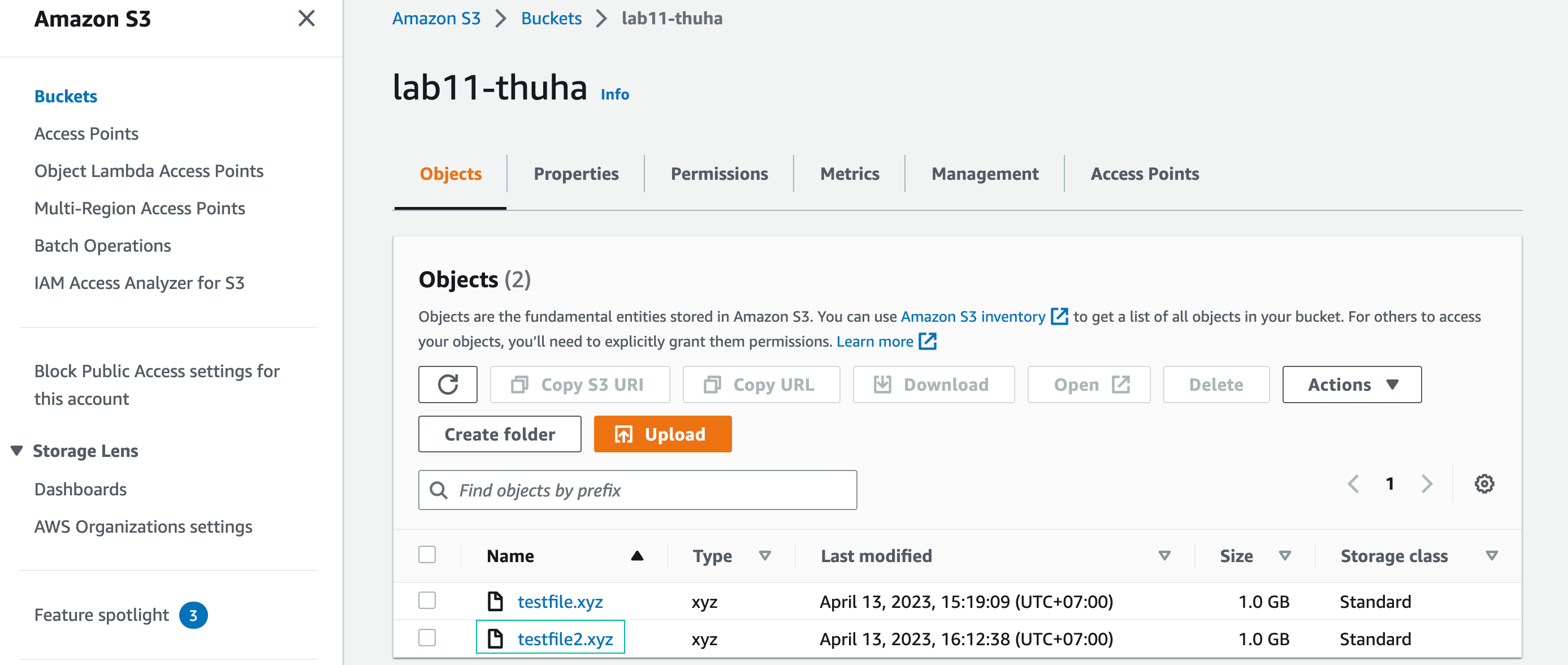
- Click your bucket name and you will see testfile2.xyz has been added to your s3 bucket