On-premises DNS Simulation
AWS PrivateLink endpoint has a fixed IP address in each AZ where they are deployed, throughout the lifetime of the endpoint (until the endpoint is deleted). These IP addresses are attached to Elastic network interfaces (ENIs). AWS recommends using DNS to resolve IP addresses for the endpoint so that downstream applications use the latest IP addresses when ENIs are added to a new AZ or deleted over time.
In this section, you will create a forwarding rule to send DNS resolution requests from the traditional environment (simulated) to the Private Hosted Zone on Route 53. This section leverages the infrastructure deployed by CloudFormation in the Prepare the environment section.
Create DNS Alias Records for the Interface endpoint
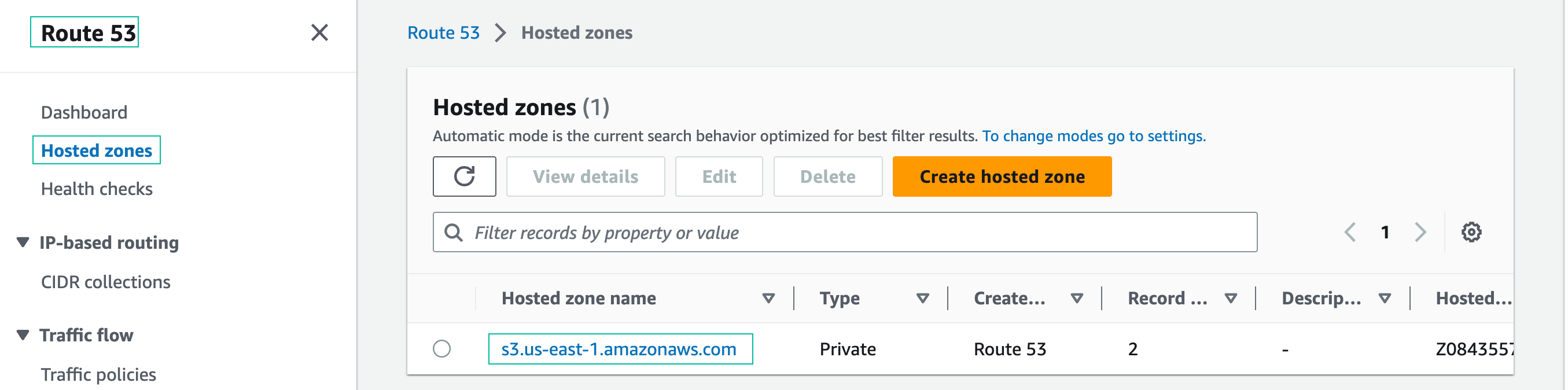
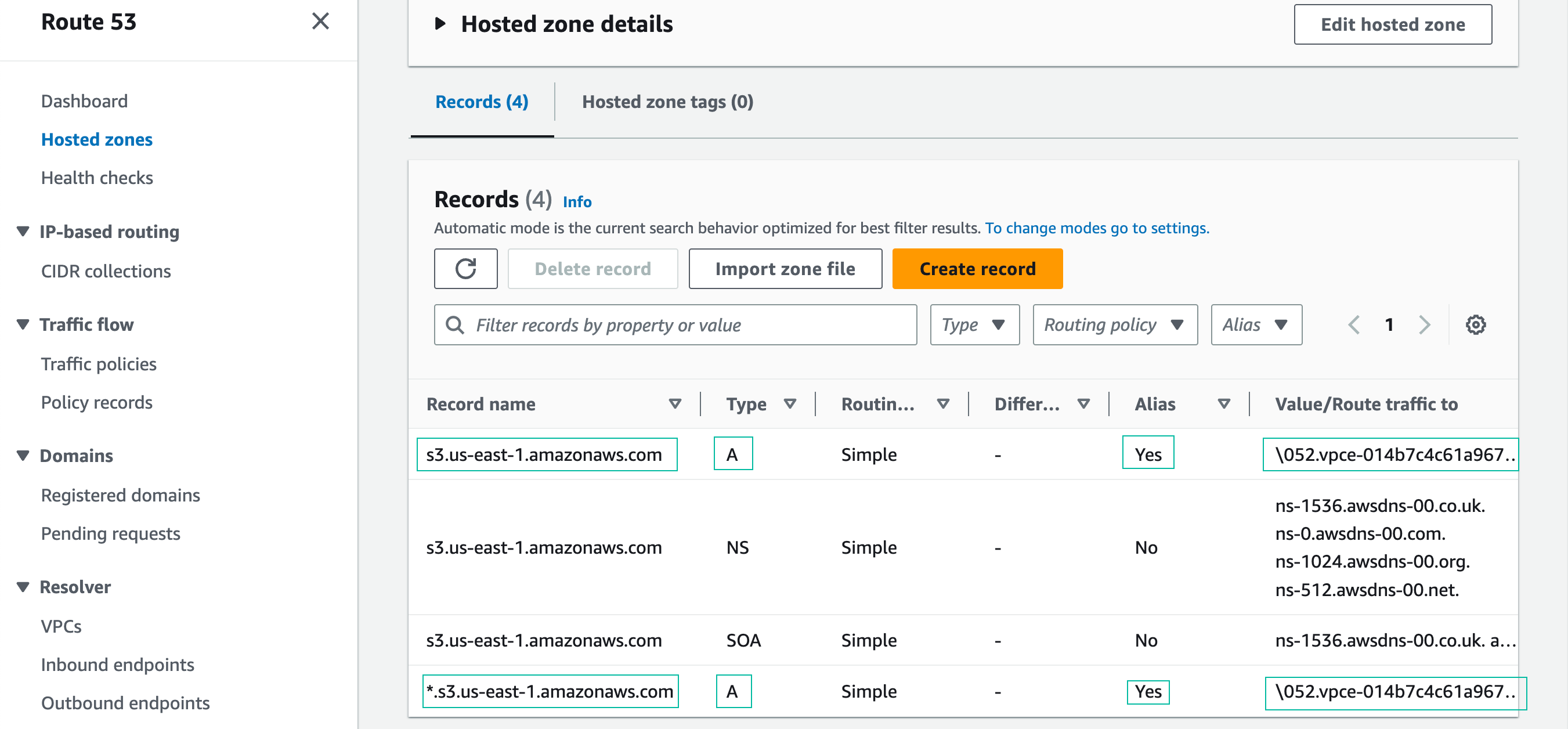
- Navigate to the Route 53 management console (Hosted Zones section). The CloudFormation template you deployed in the Prepare the environment section created this Private Hosted Zone. Click on the name of the Private Hosted Zone, s3.us-east-1.amazonaws.com:
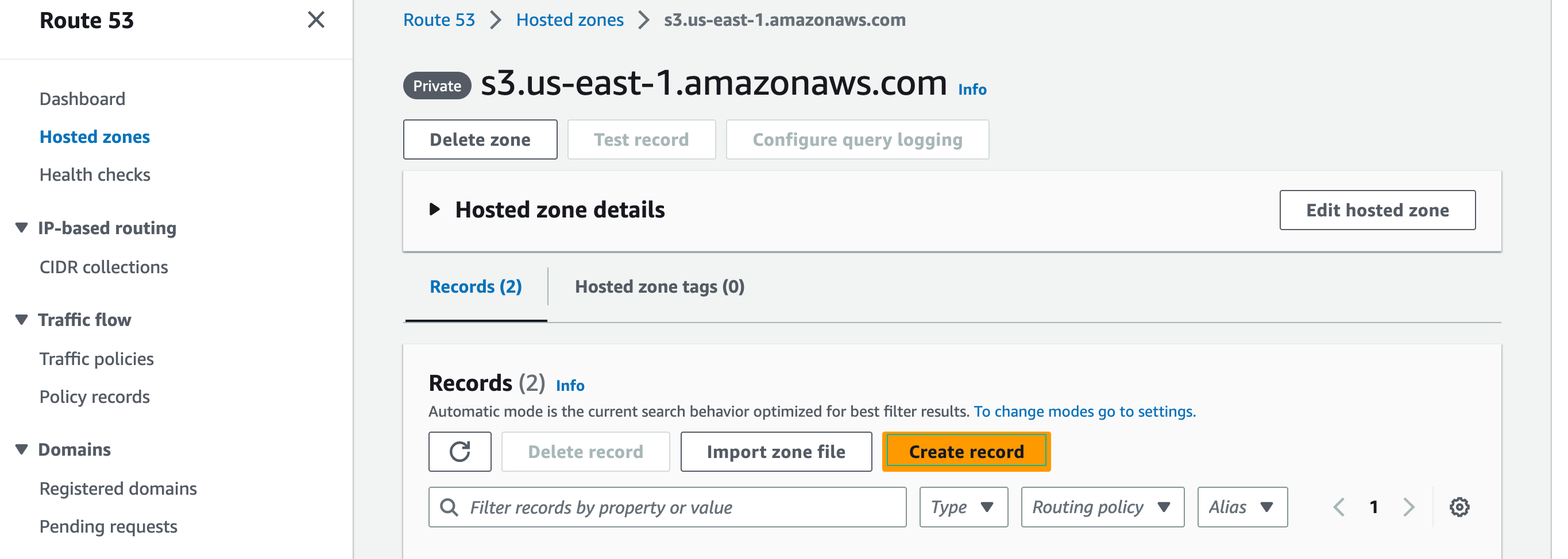
- Create a new record in the Private Hosted Zone:
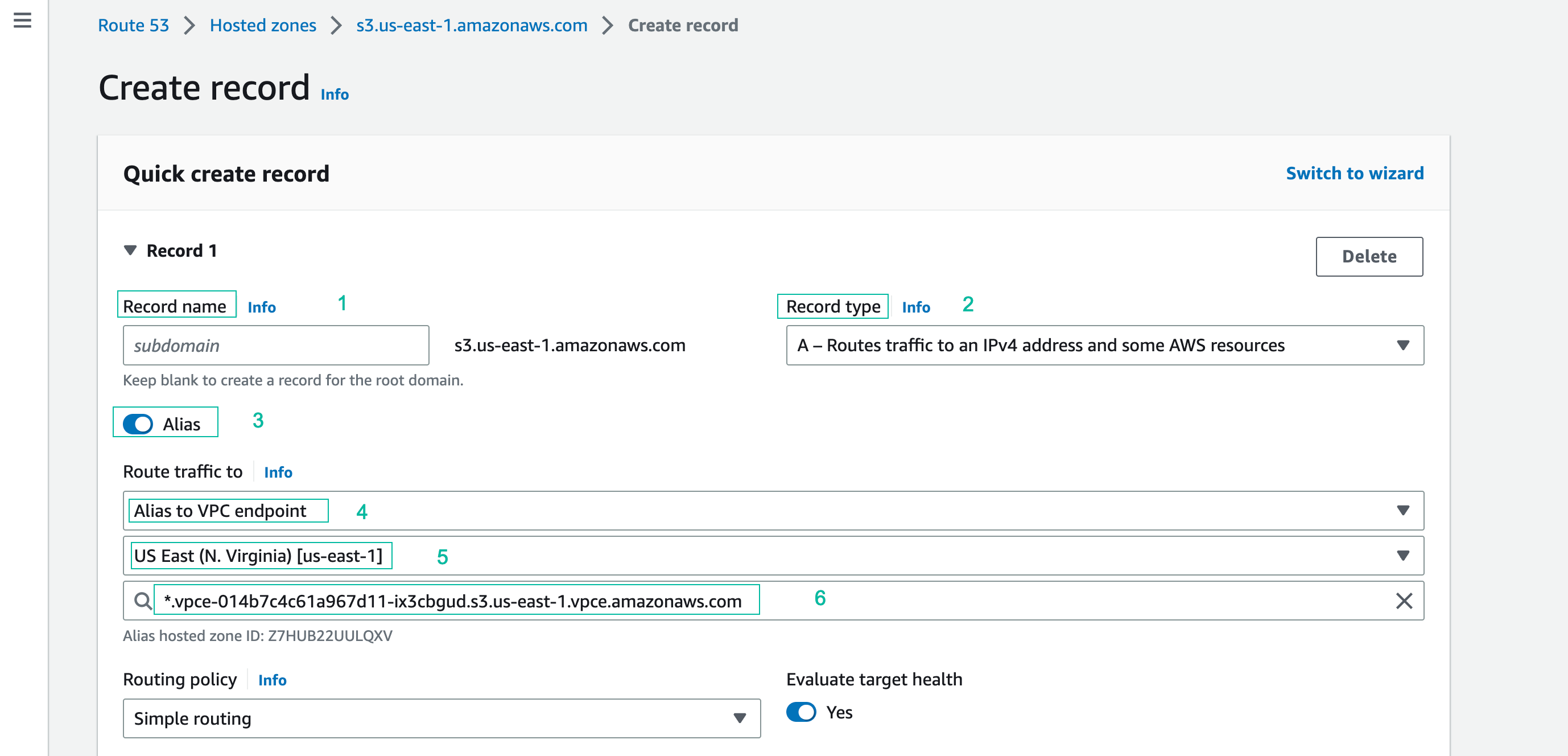
- Record name and record type keep default options
- Alias Button: Click to enable
- Route traffic to: Alias to VPC Endpoint
- Region: US East (N. Virginia) [us-east-1]
- Choose endpoint: Paste the Regional VPC Endpoint DNS name from your text editor (you saved when doing section 4.3)
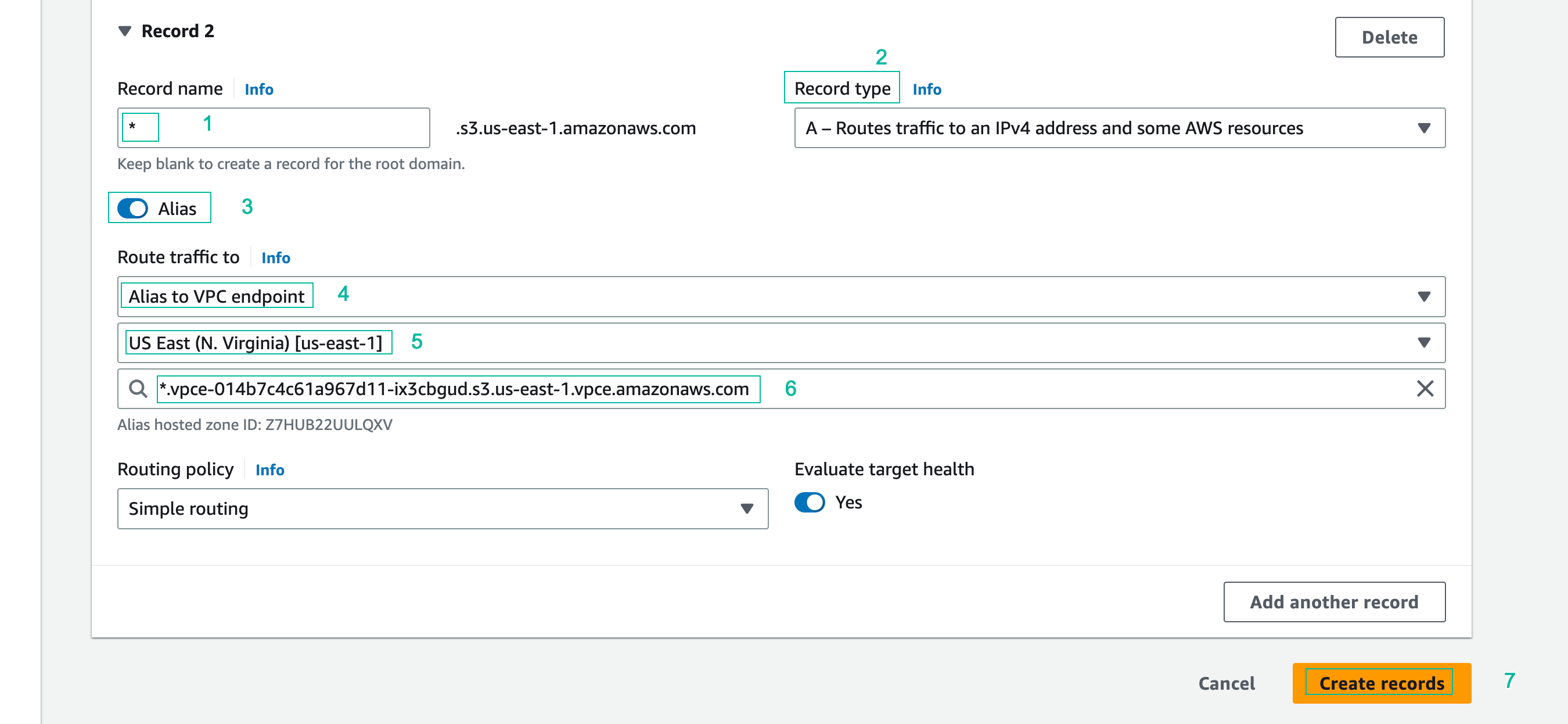
- Click Add another record, and add a second record using the following values. Click Create records when finished to create both records.
- Record name: *.
- Record type: keep default value (type A)
- Alias Button: Click to enable
- Route traffic to: Alias to VPC Endpoint
- Region: US East (N. Virginia) [us-east-1]
- Choose endpoint: Paste the Regional VPC Endpoint DNS name from your text editor
The new records appear in the Route 53 console:
Create a Resolver Forwarding Rule
Route 53 Resolver Forwarding Rules allow you to forward DNS queries from your VPC to other sources for name resolution. Outside of a workshop environment, you might use this feature to forward DNS queries from your VPC to DNS servers running on-premises. In this section, you will simulate an on-premises conditional forwarder by creating a forwarding rule that forwards DNS queries for Amazon S3 to a Private Hosted Zone running in “VPC Cloud” in-order to resolve the PrivateLink interface endpoint regional DNS name.
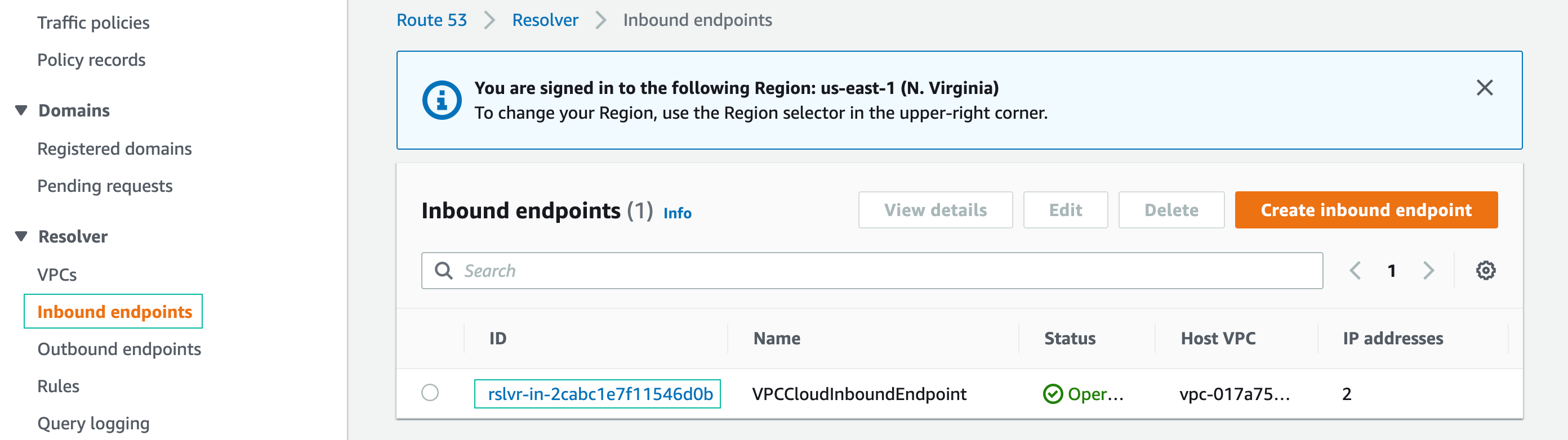
- From the Route 53 management console, click Inbound endpoints on the left side bar
- In the Inbound endpoints console, click the ID of the inbound endpoint
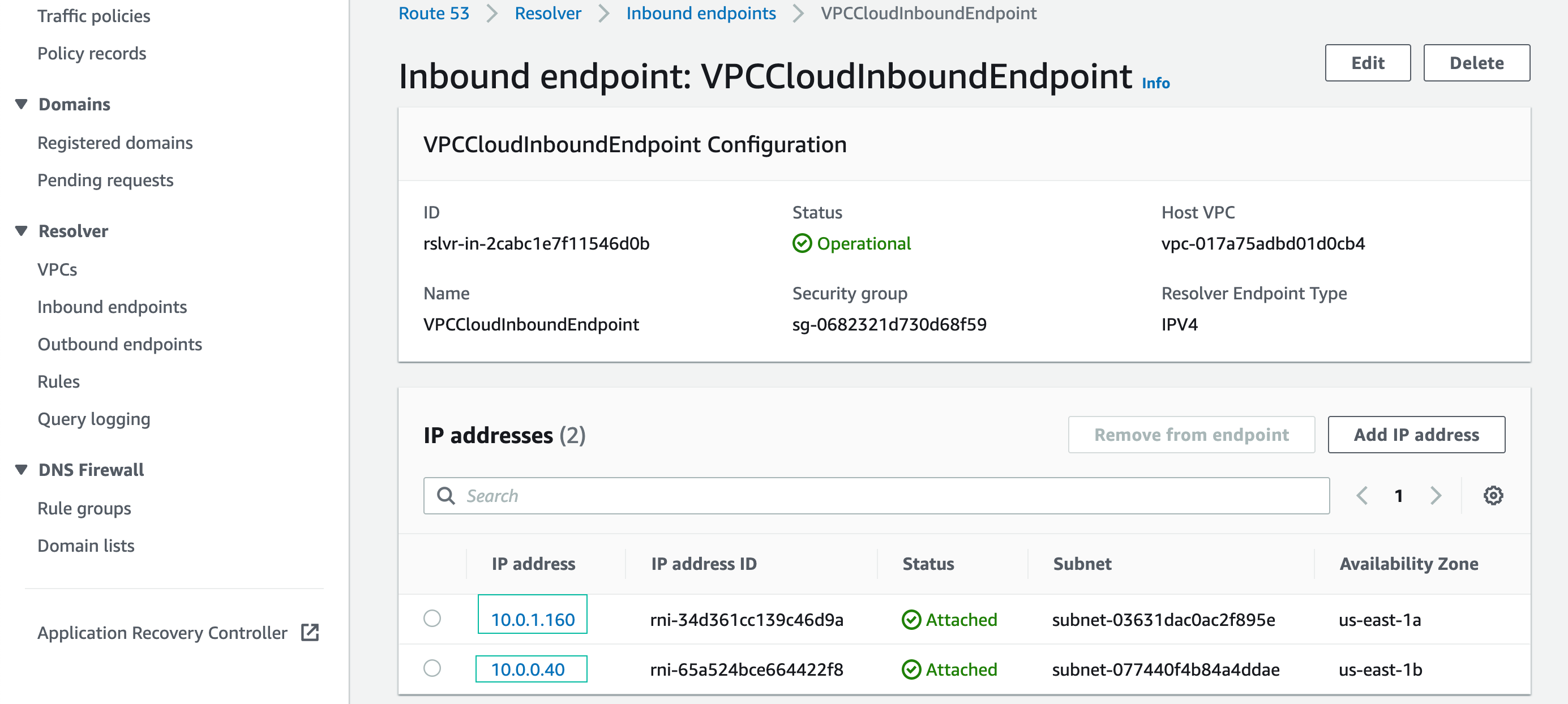
- Copy the two IP addresses listed to your text editor
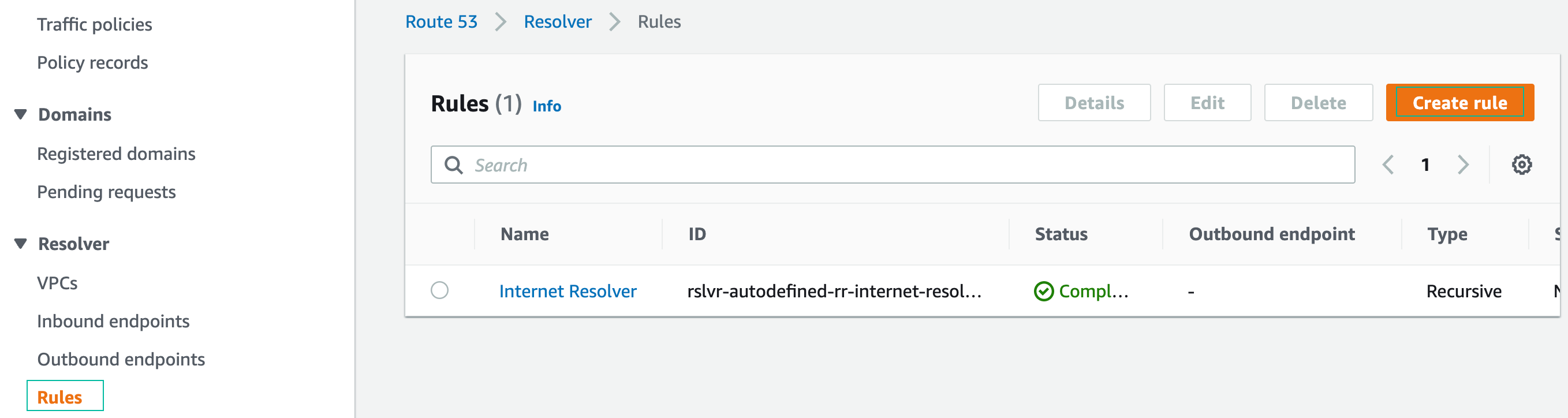
- From the Route 53 menu, choose Resolver > Rules, and click Create rule:
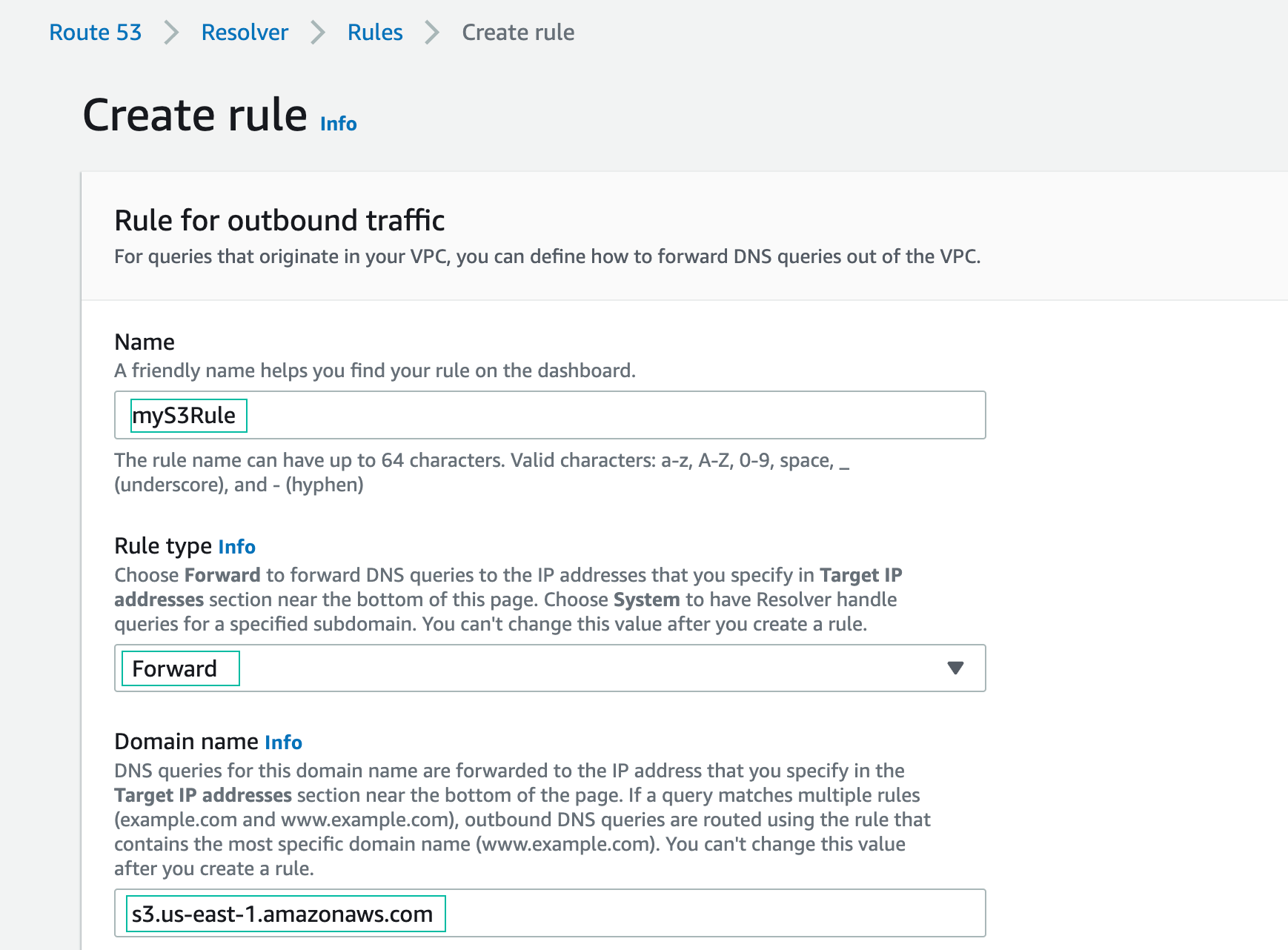
- In the Create rule console:
- Name: myS3Rule
- Rule type: Forward
- Domain name: s3.us-east-1.amazonaws.com
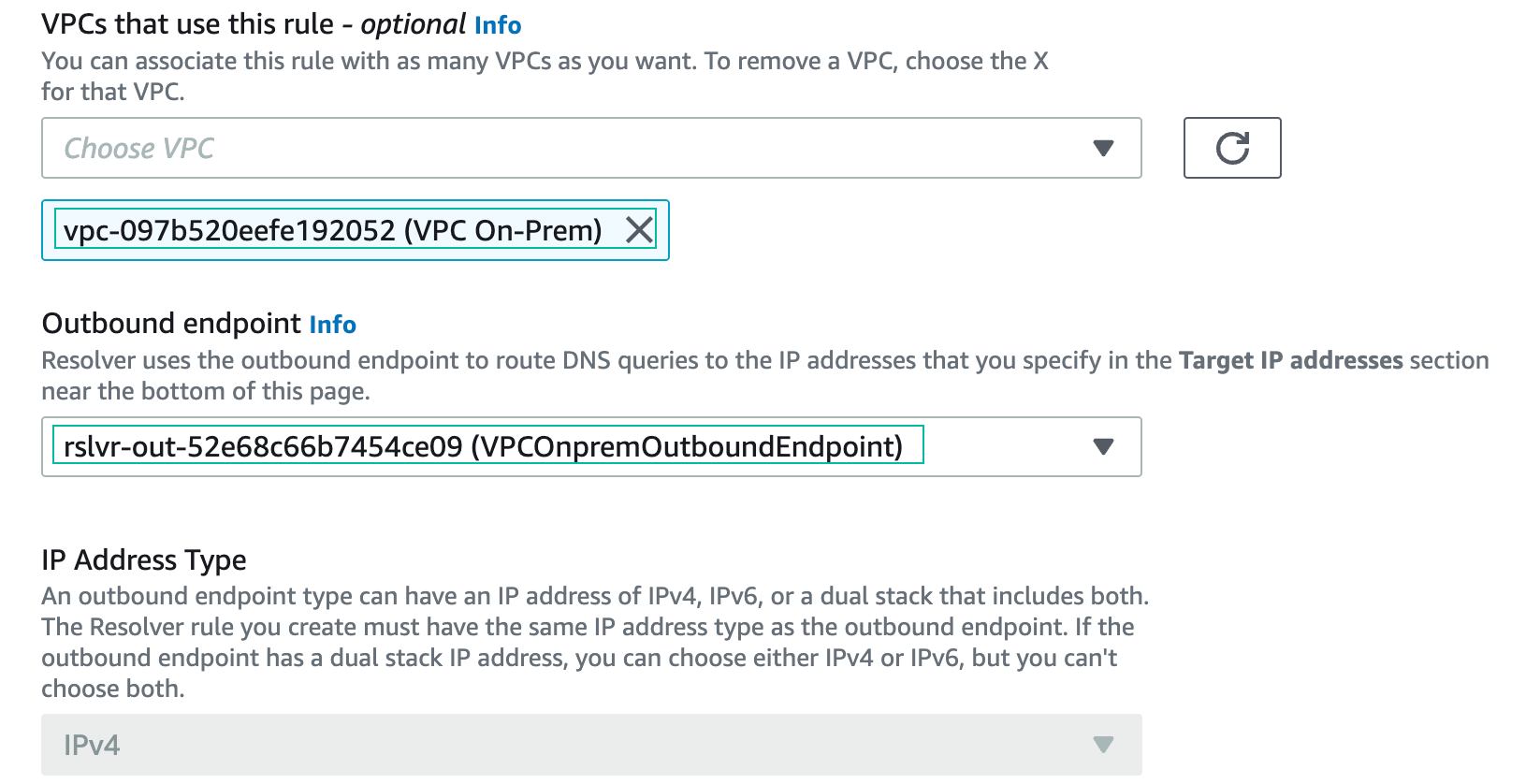
- VPC: VPC On-prem
- Outbound endpoint: VPCOnpremOutboundEndpoint
- Target IP Addresses: enter both IPs you saved on your editor (inbound endpoint addresses) and then choose Submit
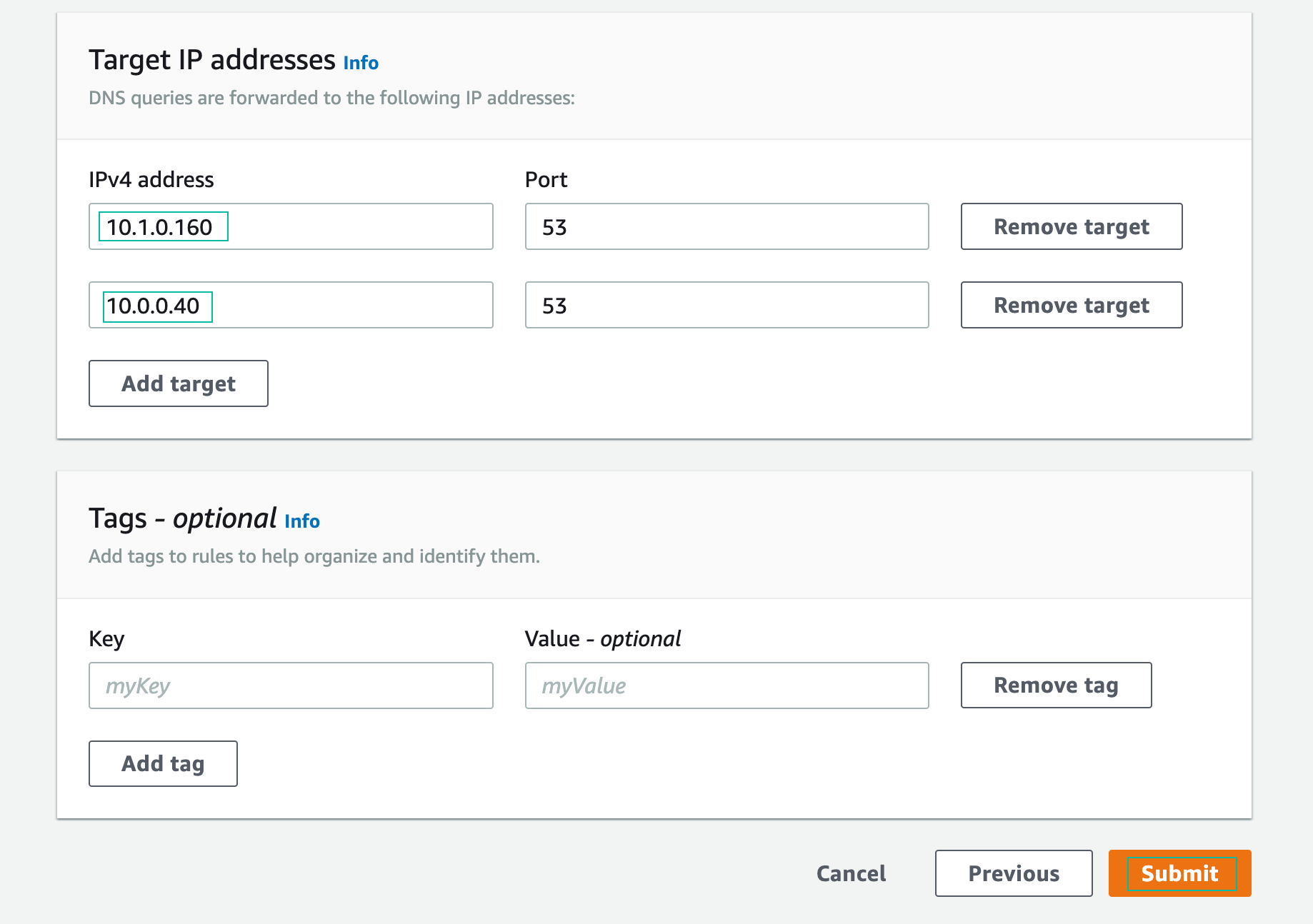
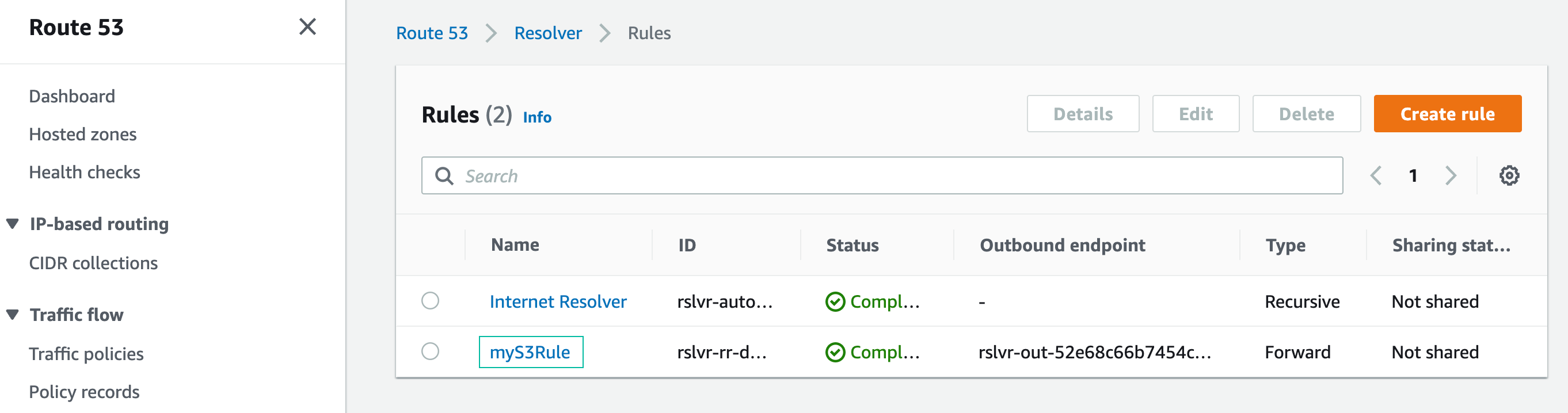
You have successfully created a resolver forwarding rule.
Test the on-premises DNS Simulation
- Connect to Test-Interface-Endpoint EC2 instance with Session manager
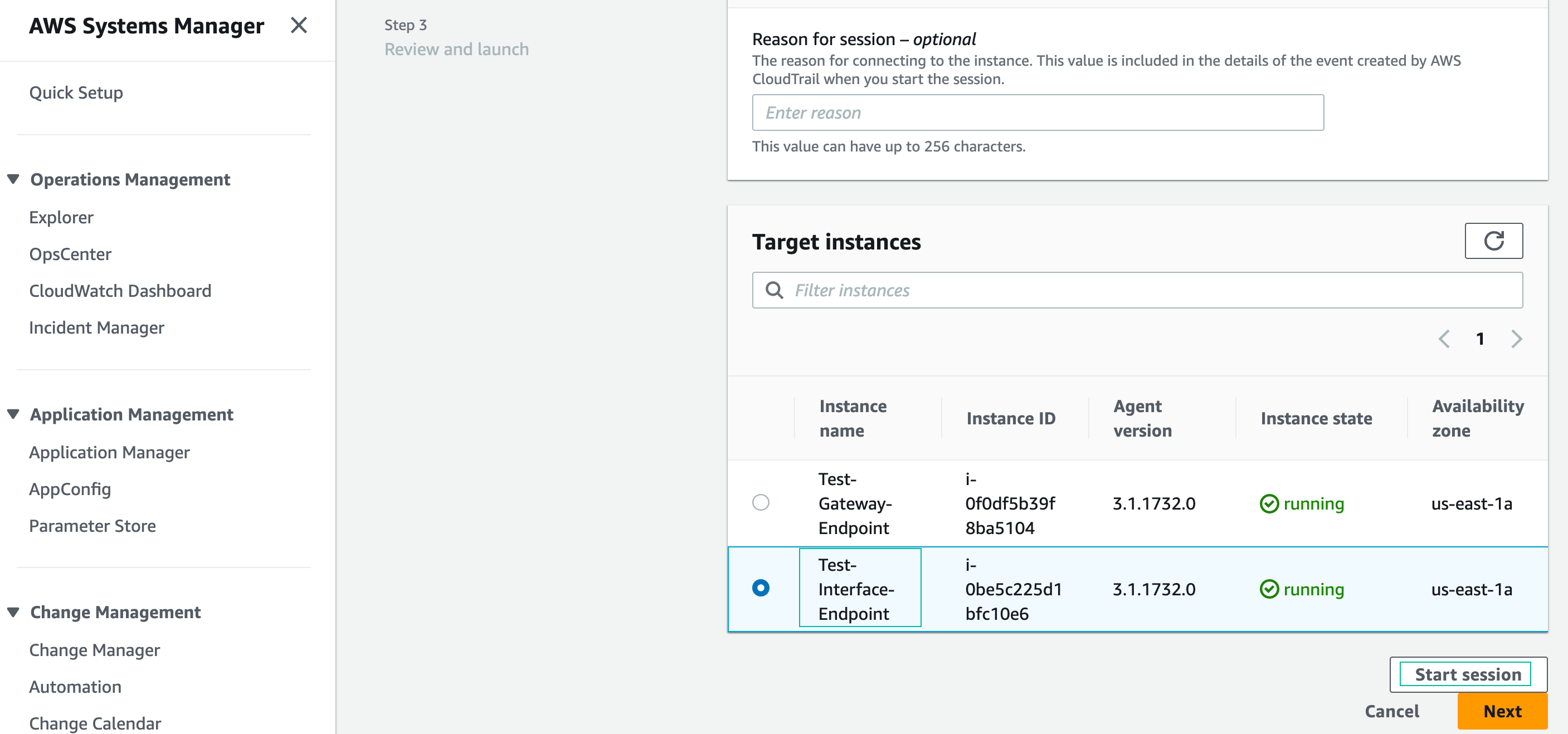
- Test DNS resolution. The dig command will return the IP address assigned to the VPC endpoint interface running on the VPC (your IP address will be different):
dig +short s3.us-east-1.amazonaws.com
The returned IP addresses are the VPC endpoint IP addresses, NOT the Resolver IP addresses you pasted from your text editor. The IP addresses of the Resolver endpoint and the VPC endpoint look similar because they are both from the VPC Cloud CIDR block.

- Navigate to the VPC menu (Endpoints section), choose the S3 interface endpoint. Click on the Subnets tab and verify that the IP addresses returned by the Dig command match the VPC endpoint:

- Let’s return to your shell and use the AWS CLI to check the list of your S3 buckets:
aws s3 ls --endpoint-url https://s3.us-east-1.amazonaws.com

- End your Session Manager session:

In this section, you created an Interface Endpoint for Amazon S3. This endpoint can be accessed from on-premises through Site-to-Site VPN or AWS Direct Connect. The Route 53 Resolver outbound endpoints simulated forwarding DNS requests from on-premises to a Private Hosted Zone running in the cloud. The Route 53 inbound endpoints received the resolution request and returned a response containing the IP addresses of the VPC Interface Endpoint. Using DNS to resolve the IP addresses of the endpoint provides high availability in case an Availability Zone encounters an issue.